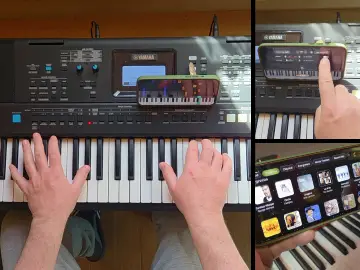
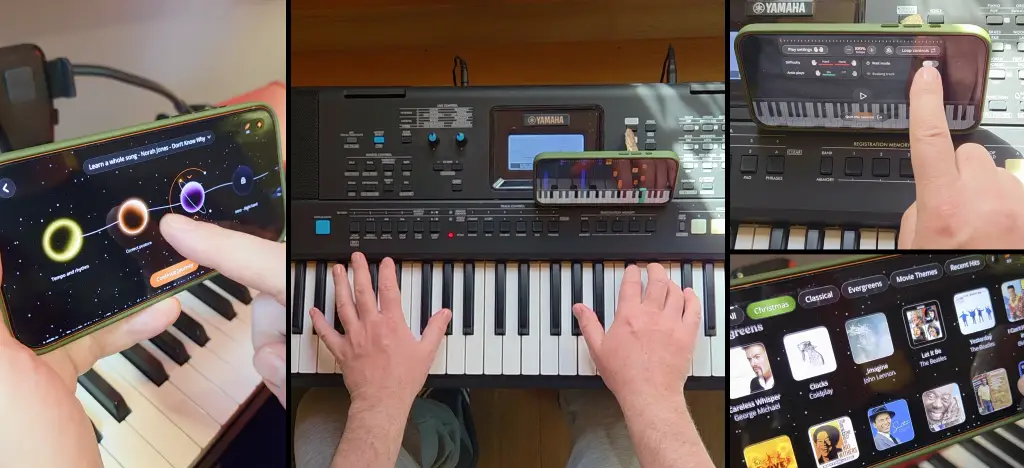
Piano learning apps usually sell the same dream: follow the notes, practise for ten minutes a day, and somehow become the person who can casually play something beautiful at a party.
Artie is an AI piano teacher app from ArtMaster built around that idea, but with more guidance than a standard falling-notes tutorial. You can use Free Play to choose songs and practise at your own pace, or Learn with Artie to be guided through a song step by step.
This review looks at how Artie works, what it does well, where it still has limits, and who it is actually for.
- So, is Artie actually good?
- Artie review summary
- How Artie works
- How does Artie give you feedback on your piano playing?
- The interface: slick without feeling too serious
- What Artie gets right
- Who is Artie best for?
- Artie vs YouTube tutorials
- Where Artie still has limits
- Artie vs Simply Piano, Flowkey and Yousician
- Is Artie worth it?
- Final verdict: how good is Artie?
- FAQs: Artie piano app
- About the author
So, is Artie actually good?
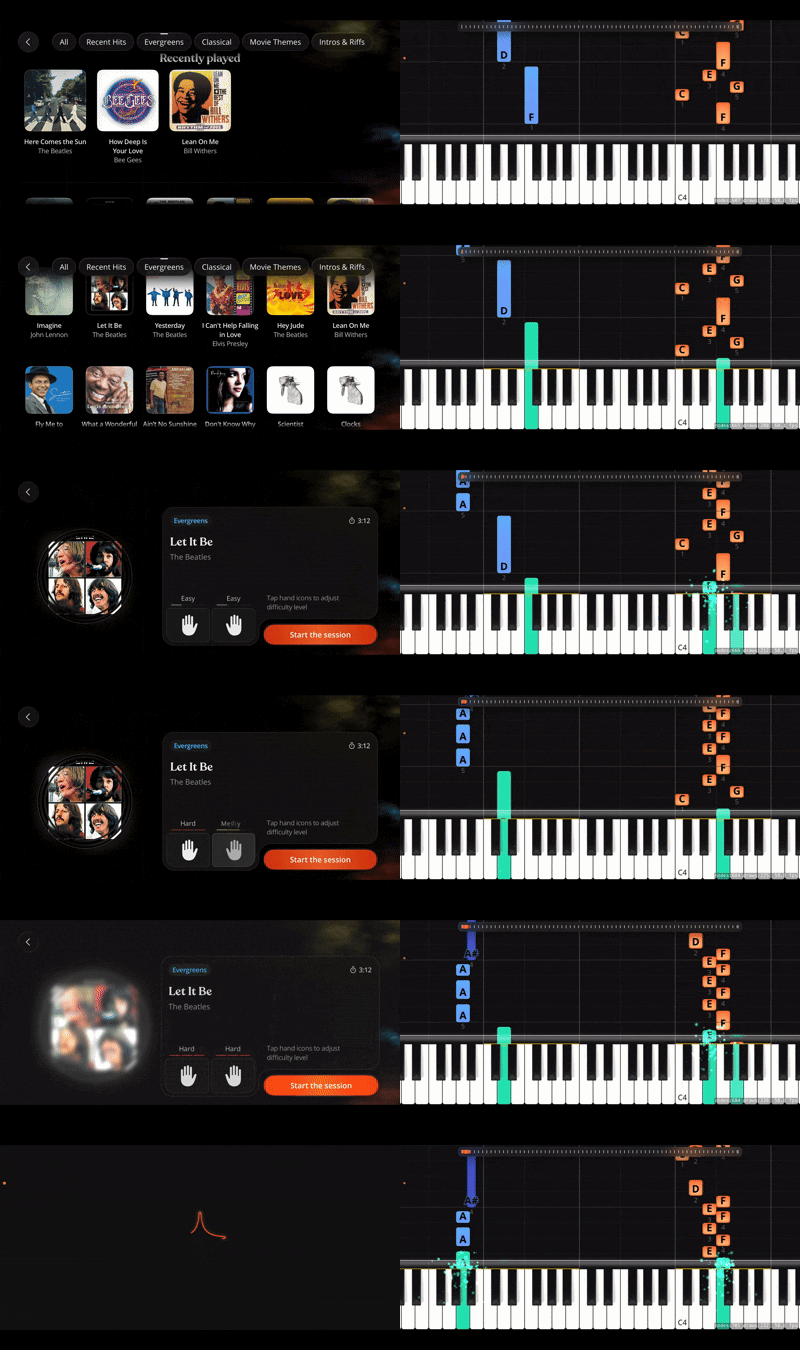
Yes, for the right person. Artie is strongest for beginners, returning players, and anyone who wants to learn real songs without starting with sheet music. It is not a replacement for a great human teacher, and it is not aimed at advanced classical players. But if your problem is, “I want to play songs, but I don’t know how to practise properly,” Artie makes sense.
The app has two main routes: Free Play, where you choose a song and practise with falling notes, and Learn with Artie, where Artie guides you through a chosen song step by step, from basics like tempo, posture and fingering to the first section of the piece. You can also press the Artie icon at any point to ask for help.
The interface is slick and beginner-friendly, with streaks encouraging 20 minutes of daily practice. The main limitation is that Artie is currently iOS only, and it cannot replace the touch, tone and nuance of a real teacher.
Note: This review is by ArtMaster, the team behind Artie. We’ll focus on what the app does well, where it still has limits, and how it compares with YouTube tutorials, Simply Piano, Flowkey and Yousician.
💡 ARTMASTER TIP: For a more detailed breakdown, including where Simply Piano, Flowkey and Yousician do well, read our full guide to the best piano learning apps.
Artie review summary
Category | Verdict |
|---|---|
Best for | Beginners, returning players and song-led learners |
Main sections | Free Play and Learn with Artie |
Free Play | Choose a song and practise independently with falling notes |
Learn with Artie | Guided song learning through planet-themed stages |
First guided stages | Tempo and rhythm, posture, fingering |
AI support | Press the Artie icon at any time to ask questions |
Motivation | Daily streaks for practising 20 minutes |
Interface | Slick and beginner-friendly |
Sheet music required? | No |
Main limitation | iOS only and not a full replacement for a human teacher |
Overall verdict | A strong beginner piano app with a more complete learning structure than a basic falling-notes tutorial |
How Artie works
Artie is built around two ways of learning: Free Play and Learn with Artie.
Free Play
Free Play is the open mode. You choose something from the song library, pick a difficulty level, and follow the falling notes on screen.
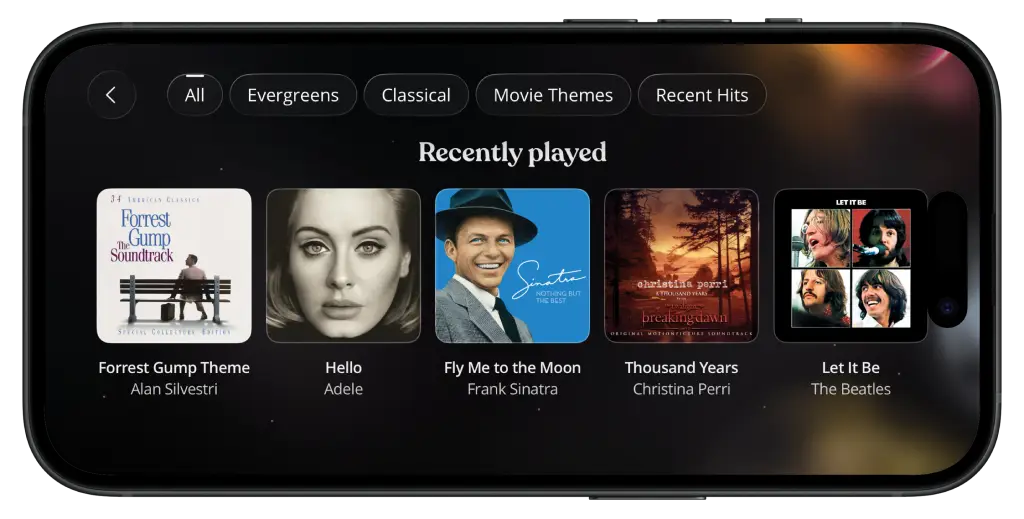 In Free Play, you can:
practise the left hand, right hand, or both hands together
slow the song down
loop tricky sections
use Wait Mode so the music waits until you play the right note
let Artie play one hand while you learn the other
play with backing tracks
get an evaluation after you play
Free Play is the mode for curiosity. It lets you open the app, choose a song, and start playing without waiting for permission.
💡 ARTMASTER TIP: If you want a feel for the kind of songs you can learn, browse our Artie piano song tutorials, where we break down pieces like Für Elise, Moonlight Sonata and other beginner-friendly piano songs.
Learn with Artie
Learn with Artie is the guided route. You start with an introduction to the app, then choose a song as your goal. From there, Artie takes you through planet-themed stages that build towards the piece.
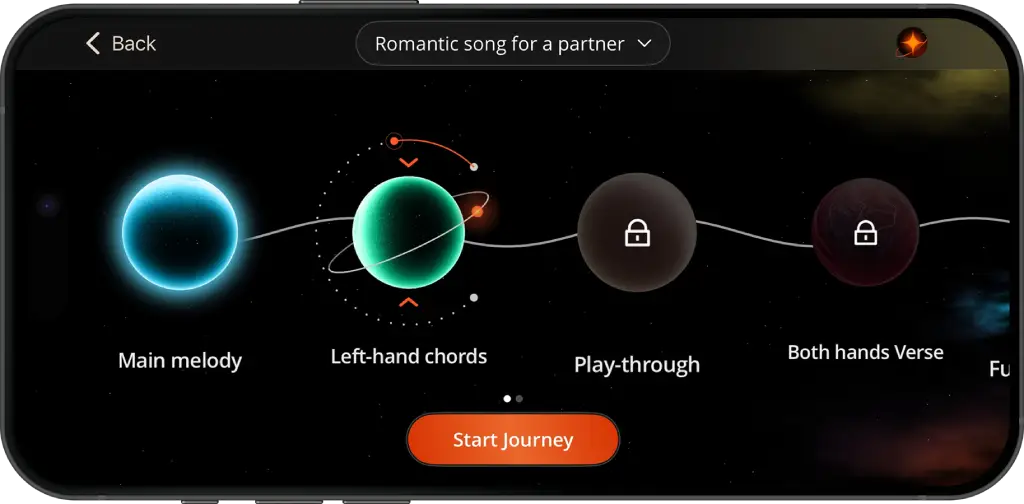
The early planets cover:
tempo and rhythm
posture
fingering
the first section of your chosen song
That structure is one of Artie’s better ideas. Most beginners want to jump straight to the recognisable bit of the song. Fair enough. That is why they downloaded the app. But if your rhythm is shaky, your hand position is awkward, and your fingering changes every time you play the same phrase, the song quickly falls apart.
Learn with Artie gives you the goal first, then builds the foundations around it.
Ask Artie
There is also the Artie icon, which you can press at any time to ask a question. That might be something specific, like how to practise a difficult section, or something more general, like how to improve your timing or put both hands together.
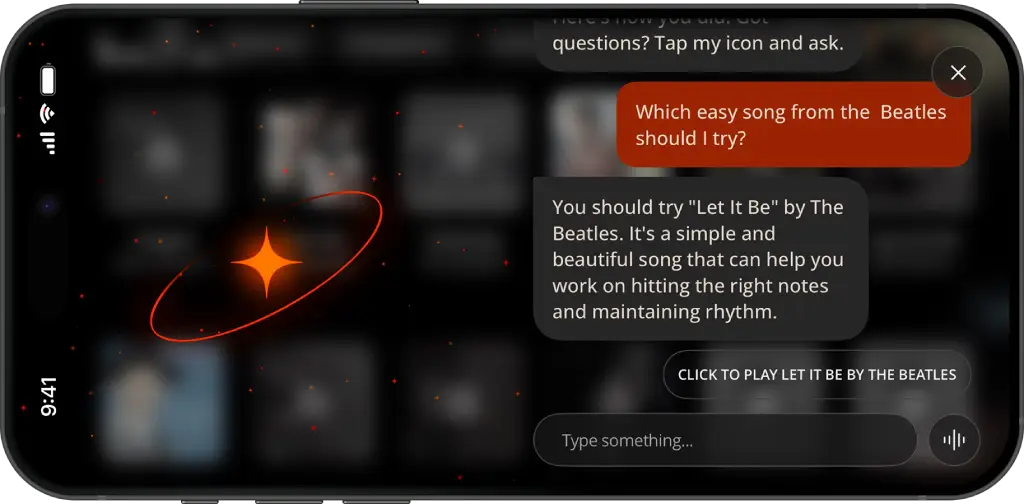
It does not turn the app into a human teacher, but for a beginner practising alone, being able to ask for help inside the app is genuinely useful.
How does Artie give you feedback on your piano playing?
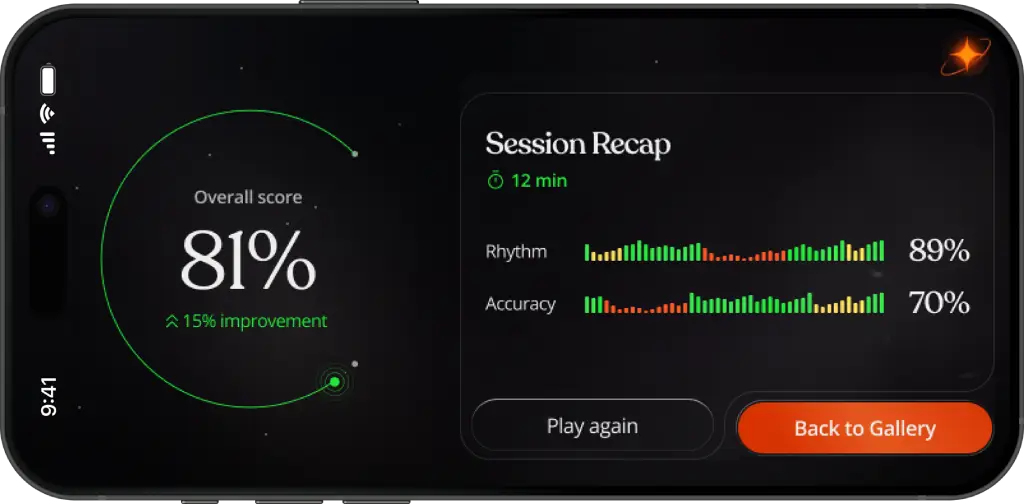
Artie gives you feedback and guidance in a few different ways. In Free Play, it listens through your device microphone or MIDI connection and evaluates your accuracy and timing after you play.
There is also feedback built into the practice itself. Wait Mode will not move on until you play the correct note, while Learn with Artie talks you through songs step by step, including rhythm, fingering, individual sections and practising each hand separately.
And if you get stuck, you can press the Artie icon and ask a question.
It is not the same as having a teacher watching your technique or giving you a running critique as you play. But if you're practising alone and wondering "Am I getting this right, and what should I do next?", Artie gives you several ways to find out.
The interface: slick without feeling too serious
One thing Artie gets right is the feel of the app.
A lot of piano learning tools fall into one of two traps. Either they look like school software from 2009, or they go so hard on gamification that you feel like you are being trained by a slot machine. Artie sits in a better place. The interface is polished, minimalist and modern, but still clearly focused on learning.
The planet system in Learn with Artie gives the guided path a sense of progression. You are not just clicking through “Lesson 1, Lesson 2, Lesson 3”. You are moving through stages on the way to your song goal. That gives the whole thing a bit more imagination, which helps, because beginners need motivation as much as information.
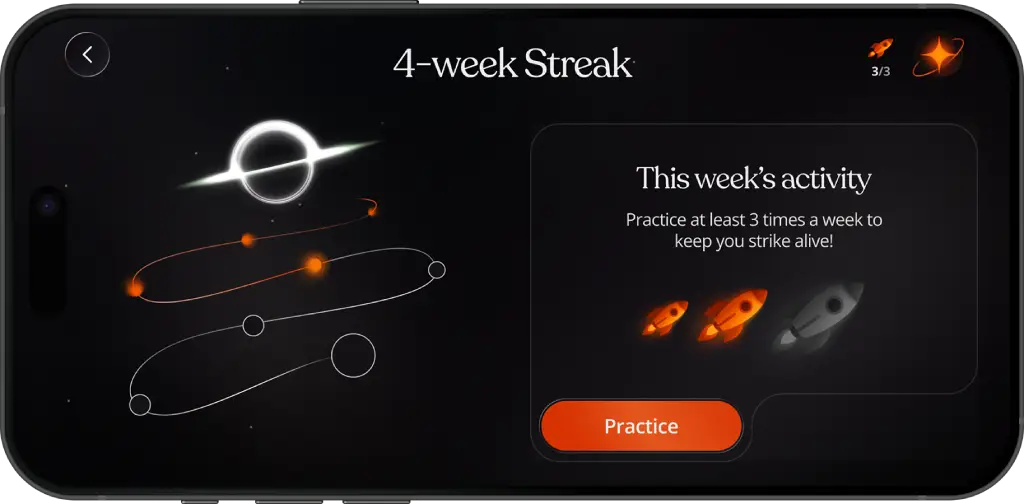
The daily streak feature also fits here. Artie encourages you to practise for 20 minutes a day, and rewards consistency with streaks. On paper, that sounds like a small product detail. In reality, it is one of the hardest parts of learning an instrument. Not understanding C major. Not knowing where middle C is. Just coming back tomorrow.
A streak will not make you a pianist on its own. But it can help turn practice into a habit, and habit is where most progress actually happens.
What Artie gets right
The most useful thing about Artie is not the AI in some vague futuristic sense. It is the pacing.
Piano is hard at the beginning because you are dealing with too many small problems at once. You have to find the notes, use the right fingers, keep time, coordinate both hands, listen, remember what comes next, and avoid panicking.
Artie helps by breaking practice into smaller pieces:
falling notes show you what to play
hand practice lets you focus on one part at a time
Wait Mode stops the song running away from you
looping helps you repeat the bit that actually needs work
backing tracks make practice feel more musical
Artie can play one hand while you practise the other
feedback after playing gives you a clearer sense of progress
Ask Artie gives you somewhere to go when you are stuck
Wait Mode is especially useful because it changes the emotional experience of practice. Instead of the song charging ahead while you fall behind, the app gives you time to find the note and continue. It turns practice from a chase into something more patient.
Falling notes are part of that, but they are not the whole method. The real value is the structure around them: guided stages, hand practice, looping, Wait Mode, feedback and the ability to ask questions.
💡 Why guided practice matters
There is a reason Artie breaks songs into smaller steps. Research on deliberate practice in music suggests that focused, structured practice is linked with stronger musical performance, especially when learners work on specific weaknesses rather than just playing through the same thing again. Read the study on PubMed
Music learning is also linked with brain plasticity, which helps explain why active, regular practice matters more than passive watching. Read the review on PubMed Central
That does not mean an app magically makes you a pianist. It means the method matters. Artie’s guided stages, hand practice, looping, Wait Mode and feedback help turn “play it again” into more deliberate practice.
Who is Artie best for?
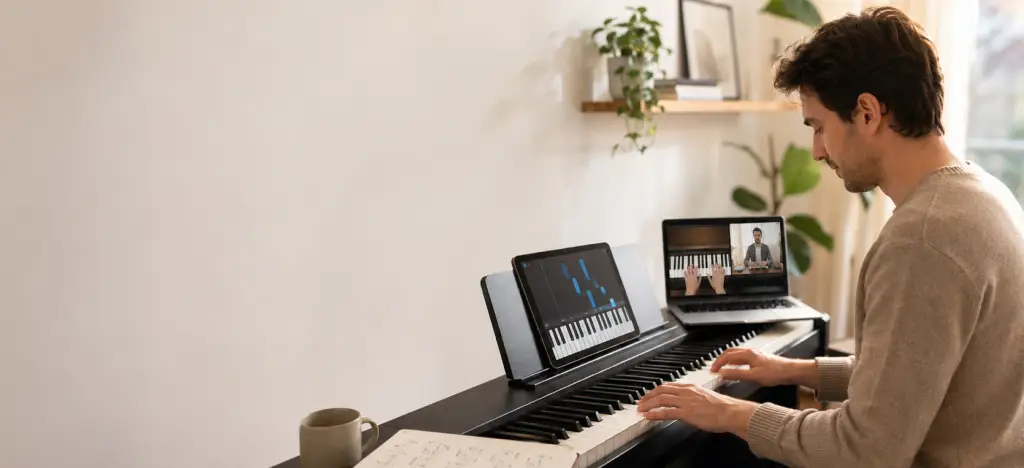
Artie is best for people who want a visual, song-led way into piano.
It is a good fit for:
complete beginners who want to start with real songs
returning players who need a less intimidating way back in
adults who want private, flexible practice
kids who respond well to visual learning and progress systems
learners who find YouTube tutorials too passive
people who want guidance but do not want traditional lessons
It is probably not the best fit for:
advanced classical players
people preparing for formal graded exams
learners who want a traditional sheet music-first method
Android users, at least for now
anyone expecting the full nuance of a human piano teacher
That last point matters. Artie can guide practice, answer questions and give feedback, but a human teacher can still give deeper help with touch, tone, posture, expression and long-term musical development.
Artie vs YouTube tutorials
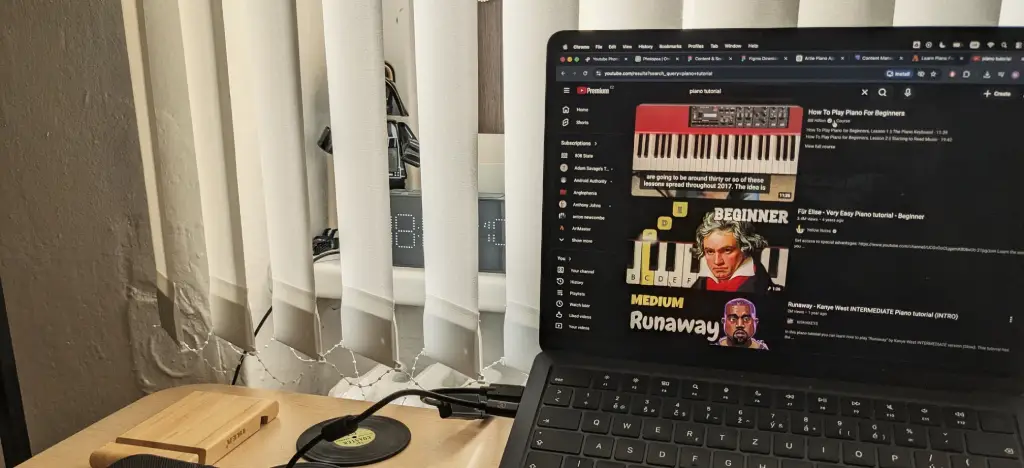
YouTube is brilliant until you actually have to practise.
It is great for watching someone explain a song. It is less great when you are trying to copy them, miss the note, rewind, miss it again, rewind too far, watch the intro again, get an advert, and slowly lose the will to continue.
Artie is better for the practice part. The notes, structure, guidance, questions and feedback all live inside the same app. You are not reverse-engineering a performance from a video. You are working through the song in a learning environment built for practice.
YouTube still has a place. It is excellent for inspiration, teacher personalities and extra explanations. But if the question is, “How do I actually sit down and work through this song?”, Artie is more practical.
Where Artie still has limits

The biggest limitation is platform support. Artie is currently iOS only, so Android users cannot use it yet.
The other limitation is the obvious one: AI is not the same as a great human teacher. A teacher can notice physical habits, sound quality, tension, phrasing and the emotional reality of how you are playing. Artie can guide practice, answer questions and give feedback, but it cannot fully replace that human judgement.
There is also a question of depth. Artie is a strong way into piano, especially for song-led beginners, but serious learners may eventually want more theory, notation, technique and repertoire work. That is not a failure. No app has to be the whole journey.
Artie’s job is to get you playing, help you practise, and make the early stages feel less confusing. That is already a useful job.
Artie vs Simply Piano, Flowkey and Yousician
App | Best for | Main strength | Main limitation |
|---|---|---|---|
Artie | Beginners who want song-led learning with AI guidance | Free Play, Learn with Artie, Ask Artie, Wait Mode, planet-based guided learning and daily practice streaks | iOS only and still evolving |
Simply Piano | Beginners who want a polished, linear course | Clear onboarding and structured lessons | Less flexible if you want open song exploration |
Flowkey | Visual song learning | Strong song library and clear visual interface | Less teacher-like guidance |
Yousician | Gamified multi-instrument practice | Challenges, scoring and broad instrument support | Can feel more like a game than a piano teacher |
Artie sits somewhere between a song-learning app and a guided teacher experience. Free Play gives it the openness of a song library. Learn with Artie gives it a more structured path. The Artie assistant adds a layer of interaction that most static tutorials do not have.
That is the useful distinction. Artie is not just saying, “Here are some songs.” It is saying, “Choose a song, and we’ll help you work towards it.”
Is Artie worth it?
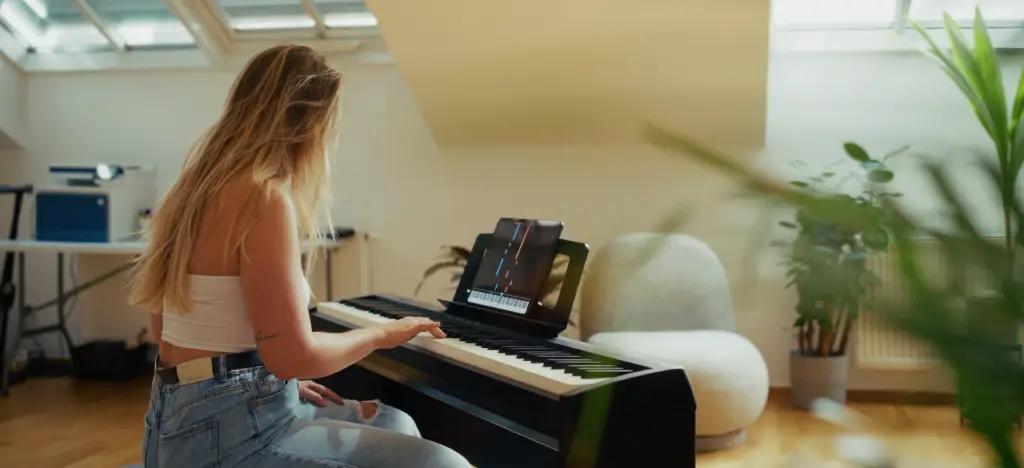 Artie is worth trying if your main goal is to learn real songs on piano without getting trapped in the usual beginner frustrations.
It is especially worth it if you like the idea of choosing a song as a goal, then being guided towards it through smaller steps. The app’s structure makes sense: start with an introduction, choose a song, move through the early planets, build the basics, then begin learning the song itself.
That feels more thoughtful than simply throwing a beginner into a song and calling it education.
Artie may not be worth it if you want advanced classical instruction, a traditional sheet music-first course, or detailed human correction. But for beginners who want a slick, visual, song-based app with real guidance built in, it has a strong case.
Final verdict: how good is Artie?
Artie is a genuinely useful piano app because it understands that beginners do not just need access to songs. They need a way into them.
The best thing about Artie is the structure. Free Play gives you room to explore. Learn with Artie gives you a guided route through a song, starting with the basics and moving through planet-themed stages towards the music you actually want to play. The Artie icon means you can ask for help when you are stuck. The streak system gives you a reason to come back tomorrow.
It is not perfect. It is not a full replacement for a human teacher. It is not for every pianist. Android users are out of luck for now.
But for beginners, returning players, and anyone tired of learning piano by rewinding videos until their soul leaves their body, Artie is absolutely worth a look.
FAQs: Artie piano app
Is Artie piano app good?
Yes. Artie is good for beginners who want a visual, song-based way to learn piano. It combines Free Play, guided learning in Learn with Artie, AI help through the Artie icon, feedback after practice and daily streaks to encourage consistency.
What is Free Play in Artie?
Free Play is the open song-learning mode. You choose a song and practise it yourself using falling notes, difficulty levels and practice tools.
What is Learn with Artie?
Learn with Artie is the guided section of the app. You choose a song as your goal, then Artie takes you through planet-themed stages, starting with basics such as tempo, rhythm, posture and fingering before moving into the song itself.
Can I ask Artie questions while practising?
Yes. You can press the Artie icon at any time in the app and ask Artie a question. This is useful if you are stuck, confused or unsure what to practise next.
Does Artie use falling notes?
Yes. Artie uses falling notes to show you what to play, so beginners can start learning songs without reading traditional sheet music.
Does Artie teach posture and fingering?
Yes. In Learn with Artie, the early guided stages include basics such as posture and fingering before moving into the first part of the chosen song.
Does Artie help with rhythm?
Yes. Learn with Artie includes early stages focused on tempo and rhythm, helping beginners understand the timing of a song before trying to play more of it.
Does Artie have streaks?
Yes. Artie encourages daily practice with streaks for practising 20 minutes a day.
Is Artie worth it?
Artie is worth trying if you want to learn real songs with more structure than YouTube tutorials can offer. It is especially useful for beginners who want both freedom and guided support.
Can Artie replace a piano teacher?
Not completely. Artie can guide practice, answer questions and give feedback, but a human teacher can give deeper help with posture, tone, expression and technique.
Is Artie good for adults?
Yes. Artie is a good fit for adults who want private, flexible piano practice and a less intimidating way to start learning real songs.
Is Artie good for kids?
Artie can work well for kids because the interface is visual, colourful and engaging. Younger children may still need support from a parent to build consistent practice habits.
Is Artie available on Android?
Artie is currently available for iOS. Android support is not available yet.
How is Artie different from Simply Piano?
Simply Piano offers a polished beginner course. Artie is more focused on song-led practice, with Free Play, Learn with Artie, AI support, falling notes and guided song stages.
How is Artie different from Flowkey?
Flowkey is strong for visual song learning. Artie also teaches songs visually, but adds a more guided AI layer, including Learn with Artie, Ask Artie and planet-based song progress.
How is Artie different from Yousician?
Yousician focuses on gamified practice across several instruments. Artie focuses specifically on piano, guided song learning and AI-supported practice.
Is Artie better than YouTube tutorials?
For practice, yes. YouTube is useful for explanations and inspiration, but Artie gives you a more structured way to work through a song, ask questions and get feedback while you practise.
About the author
Matt Ford is a musician, music teacher and writer based in Prague. He has played in bands for more than 30 years and studied sound engineering and music technology.
For ArtMaster, he writes about piano, guitar, singing, music production and the changing world of online music education. His work is shaped by both sides of learning music: the joy of playing, and the frustration of trying to practise when the method does not quite fit the person.