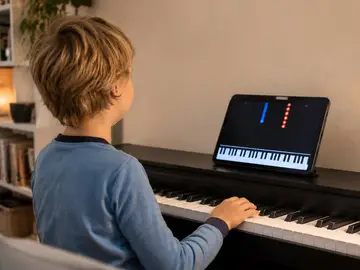
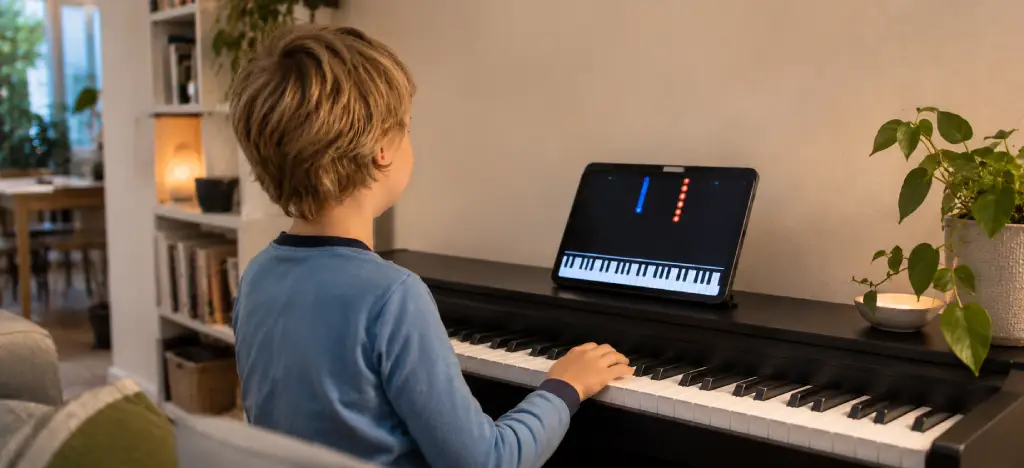
An app is a great way to start a child on piano. It's cheap and patient, and it turns practice into something they want to do. On its own it works best for a few months, though, not a few years. For most kids the setup that works is an app for daily practice, plus a teacher every week or two once they're hooked.
If you’re still deciding whether music is worth it at all, here’s why learning music is one of the best things your child can do.
- What is the best piano app for kids?
- Best piano apps for kids compared
- What each app offers
- Is there a free piano app for kids with no subscription?
- What age should a child start piano lessons?
- Is an app enough, or do we need a teacher?
- FAQs: piano apps for kids
- About the author
What is the best piano app for kids?
Child’s ageㅤㅤㅤㅤㅤㅤㅤ | Good places to start |
|---|---|
4–6 | Play, not lessons. A small keyboard or toy piano app, plus singing, clapping rhythms and music classes |
7–10 | Simply Piano or Yousician if they’re motivated by games and scores. Artie if they want to learn real songs with spoken guidance and no sheet music |
11+ | Flowkey if they want real songs and to pick up sheet music. Yousician if they want to keep things game-like |
Other situations:
Already having lessons: Piano Maestro, as practice between lessons
Want a structured course on video: Hoffman Academy
On a tight budget: Hoffman Academy’s free videos or Artie’s free tier
 Try Artie for free
Best piano apps for kids compared
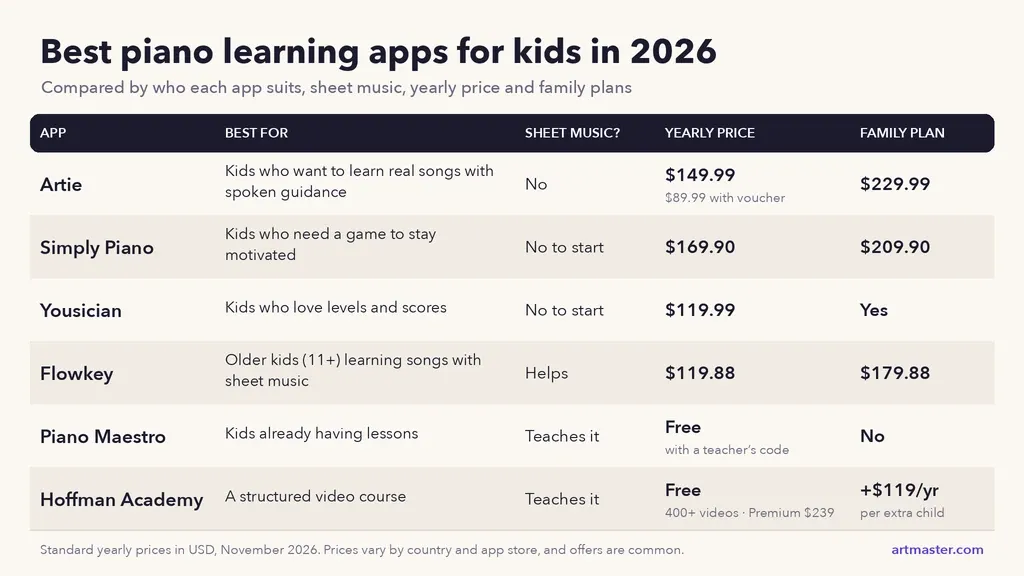
Artie: No sheet music needed. $149.99 a year ($89.99 with voucher). Family plan $229.99.
Simply Piano: No reading needed to start. $169.90 a year. Family plan $209.90.
Yousician: No reading needed to start. $119.99 a year. Family plan available.
Flowkey: Reading music helps. $119.88 a year. Family plan $179.88.
Piano Maestro: With a teacher. Teaches reading music. Often free through a teacher.
Hoffman Academy: Teaches reading music. Free videos; Premium $239 a year.
What each app offers
Artie: best AI piano teacher for kids who want to play real songs
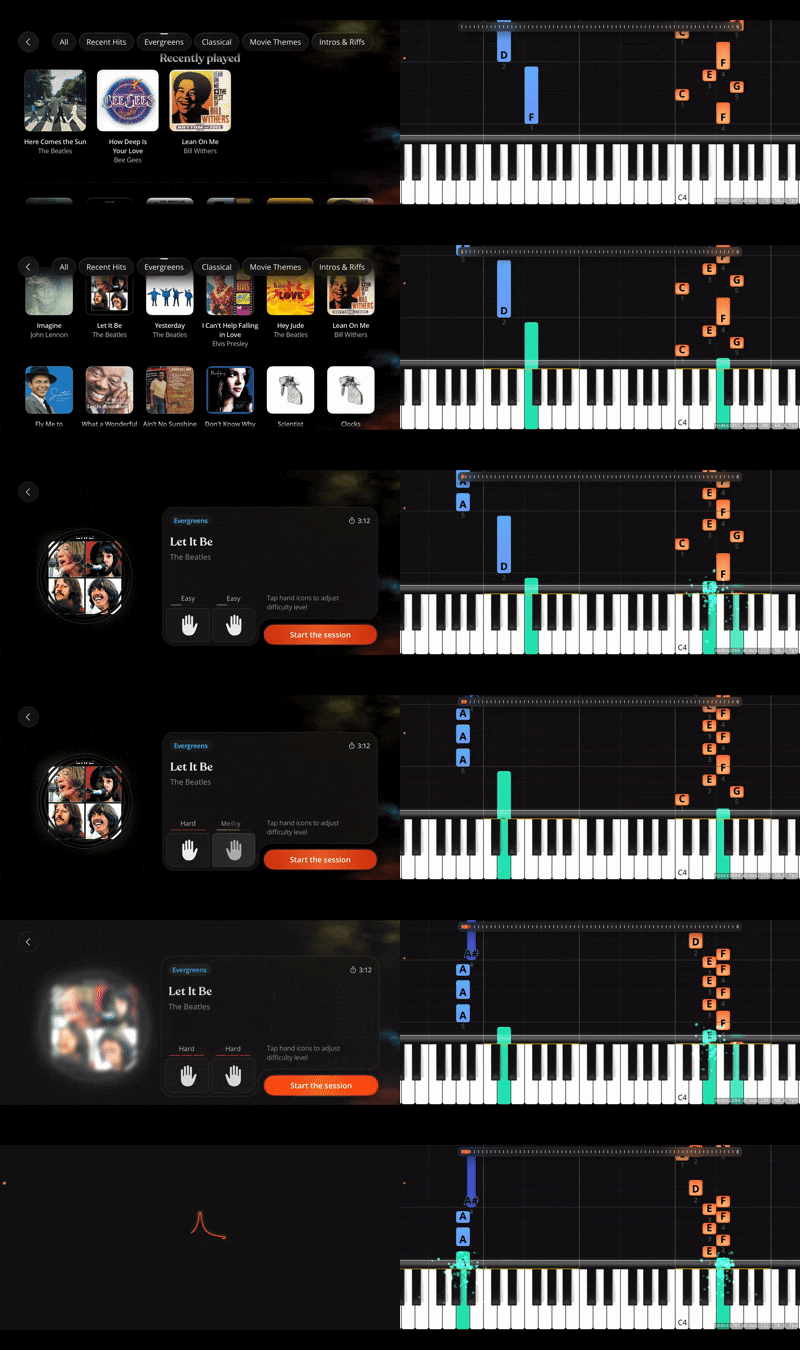
By around 7, most kids know exactly which songs they want to play, and they want to get there without waiting for a parent to read out instructions. Artie is an AI piano teacher that talks your child through each song out loud and listens while they play, through the iPhone or iPad microphone or a MIDI cable, so they can practise on their own.
What it does well:
Spoken guidance, not text. Your child hears what to do next, so they can practise without you reading instructions over their shoulder.
No sheet music. Falling notes and colour cues. More on learning piano without reading sheet music.
Wait Mode. The music waits until they press the right key, so they never get left behind and give up.
Small steps. The guided path moves through colourful planet-themed stages: rhythm first, then posture and fingering, then the first bit of a song.
Their favourite songs. Import a MIDI or MusicXML file, so if it’s Let It Go or nothing, it can be Let It Go.
Free to start. 30+ songs and 3 song imports on the free tier, no card needed.
Where it’s weaker: it isn’t built for exam preparation or reading music, and like every app it can’t see posture the way a teacher can.
My 8-year-old loves playing with Artie, and it’s been a great way for us to find out whether he’d enjoy proper lessons before we committed to a teacher.
Simply Piano: best for kids who need a game to stay motivated
Polished, colourful and easy to start, with short lessons and clear scoring. Is it good for kids? Yes, if they respond to games and rewards. Is it free? Partly. Two courses (Piano Basics and Touch Intro) are free, but the song library needs a subscription, and the 7-day free trial is only on the yearly plan.
Yousician: best for kids who love video games
Points, stars and challenges. It feels the most like a video game. Yousician vs Simply Piano for kids: Simply Piano is gentler; Yousician suits kids who like chasing scores.
Flowkey: best for older kids learning songs with sheet music
A big song library with video of a real pianist’s hands next to the notation. It suits kids of 11 and up who want to pick up reading music as they go. Flowkey or Simply Piano? Simply Piano is more of a game; Flowkey is better for older kids who want real songs and sheet music.
Piano Maestro: best alongside a teacher
From the makers of Simply Piano, and widely used by teachers as homework between lessons. Piano Maestro vs Simply Piano: Simply Piano is a full course for learning at home; Piano Maestro is practice that supports lessons. Students whose teacher has a registered account can use it free with their teacher’s code.
Hoffman Academy: best structured course on video
Video lessons for children from a real teacher, with a step-by-step curriculum that includes reading music. All 400+ video lessons are free. Premium ($24/month or $239/year) adds games, guided practice sessions and method books. It’s video-based, so it doesn’t listen to your child play.
Is there a free piano app for kids with no subscription?
"Free" usually means "free trial". Here's what you get without paying:
Artie: a free tier with 30+ songs, 3 free MIDI imports, no card needed.
Hoffman Academy: free video lessons, with paid extras [VERIFY].
Simply Piano, Flowkey, Yousician: 7–14 day trials, then a subscription.
Toy piano apps: fine for toddlers to explore sound, but they don't teach a real instrument.
💡 ARTMASTER TIP: Not sure what “free” really gets you? See the best free piano apps in 2026 for a full breakdown of what each app gives you before you pay.
What age should a child start piano lessons?
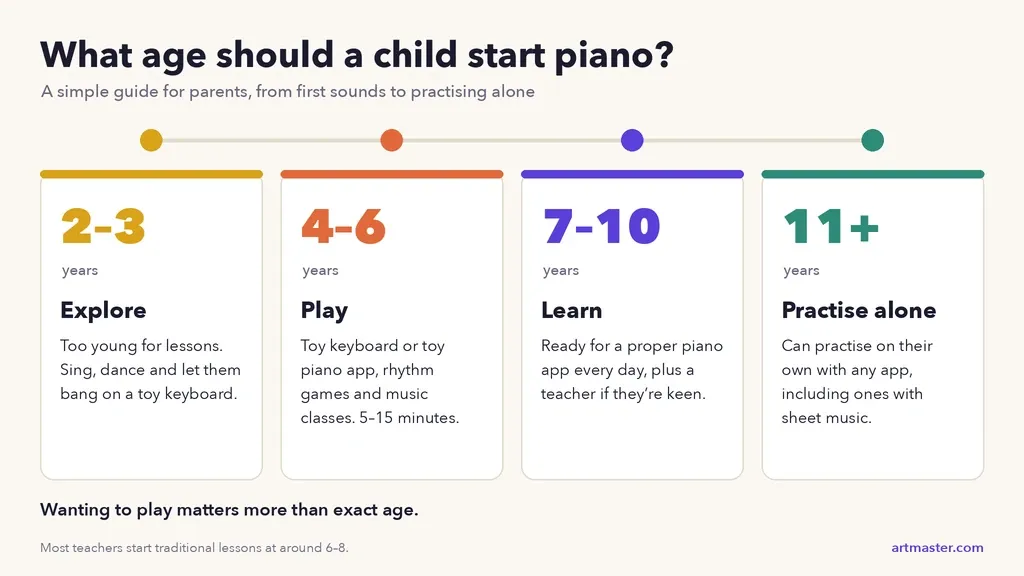
Most teachers say 6–8 for traditional lessons, when focus, coordination and reading come together. Before that, play matters more than lessons:
2–3: Too young for lessons. Let them explore sound and music.
4–6: Keep it as play. A small keyboard or toy piano app to explore sounds, plus singing, clapping along to rhythms, or a group music class. That builds the ear and sense of rhythm they’ll use later, without the pressure of lessons.
7–10: The sweet spot for piano apps. Old enough to practise on their own and to know what songs they want to learn.
11+: Can use any app on this list, and is ready for a teacher if they’re keen.
Wanting to play matters more than exact age. A keen 7-year-old will get further than a reluctant 10-year-old. For neurodivergent children, apps can be a good fit: no social pressure, endless repetition and their own pace. More in how neurodivergent people learn music best.
💡 ARTMASTER TIP: Thinking beyond piano? Our guide to the best age for kids to start music lessons covers guitar, violin, singing and more, with what to expect at each age.
Is an app enough, or do we need a teacher?
An app is enough to find out whether your child loves piano. Give it two or three months. Apps are brilliant at daily practice, instant feedback on notes and timing, and motivation.
That’s exactly how we’ve used it at home. My son is 8, he loves playing with Artie, and it’s shown us he’s keen enough for lessons, without paying for a term of them first.
What apps can’t do is see a dropped wrist or flat fingers, hear expression, or prepare a child for exams. So add a teacher, even once or twice a month, when:
they’ve played for 2–3 months and want to keep going
you notice poor hand position or posture
they’ve outgrown the app’s songs, or want to take exams
Some teachers will tell you to avoid apps entirely. Most of them object to app instead of teacher, not app as well as teacher. Many already use apps for homework, because daily practice is the hardest thing to get kids to do. Let the app build the habit, and the teacher build the technique.
💡 ARTMASTER TIP: Try two apps for a week each and let your child choose. The one they ask to open is the right one. You’ll need a keyboard (61 keys is fine to start) and a phone or iPad propped up nearby; see keyboard or piano?
FAQs: piano apps for kids
FAQs: Piano apps for kids
What is the best piano app for kids?
Hoffman Academy gives you the most free teaching (400+ video lessons), while Artie’s free tier (30+ songs, no card needed) is the best free option if you want an app that listens and gives feedback. Simply Piano has two free courses; Flowkey and Yousician offer free trials.
What is the best free piano app for kids?
Hoffman Academy’s free videos and Artie’s free tier (30+ songs, no card needed) give you the most without paying. Simply Piano, Flowkey and Yousician offer free trials, then a subscription.
Can a child learn piano with just an app?
Yes, for the first few months: enough to play real songs and find out whether they love it. After that, occasional lessons with a teacher help lock in good technique.
Can a 4 year old learn piano?
They can start exploring. At 4, it’s about play: pressing keys, hearing high and low sounds, singing along and clapping rhythms. A toy keyboard or a simple toy piano app is plenty. Most children get far more from a structured app from around 7.
Is an AI piano teacher good for kids?
It can be. An AI piano teacher like Artie listens while your child plays and responds straight away, so practice isn’t guesswork between lessons. It won’t replace a human teacher for posture and technique.
How long should a child practice piano each day?
5–10 minutes for ages 4–6, and 10–20 minutes from age 7. Short daily sessions beat one long session at the weekend. Here’s how to make 10 minutes a day count.
Are piano apps cheaper than lessons?
Much cheaper. Most cost $90–$170 a year, often less than a month of weekly lessons. More in what piano apps actually cost in 2026.
In short: Start with what suits your child’s age and personality. For 4–6 year olds, keep it playful. From around 7, pick an app that matches how your child likes to learn: a game, real songs with spoken guidance, or video with sheet music. Give it two or three months, then add a teacher, even an occasional one, to build good technique.
About the author
Matt Ford is a musician, writer and father based in Prague. He writes about music learning, creativity and technology for ArtMaster. His 8-year-old son is currently learning with Artie.