Want to learn a particular song on piano, but can’t find a lesson for it?
I used to find a Synthesia-style YouTube tutorial with those falling notes showing which keys to press. It worked up to a point, but constantly pausing, rewinding and trying to find the right place became painful. I didn’t want to learn sheet music either.
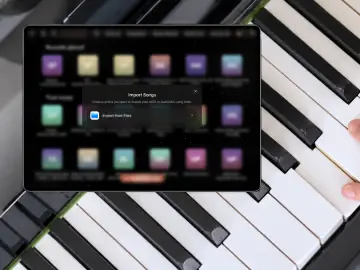
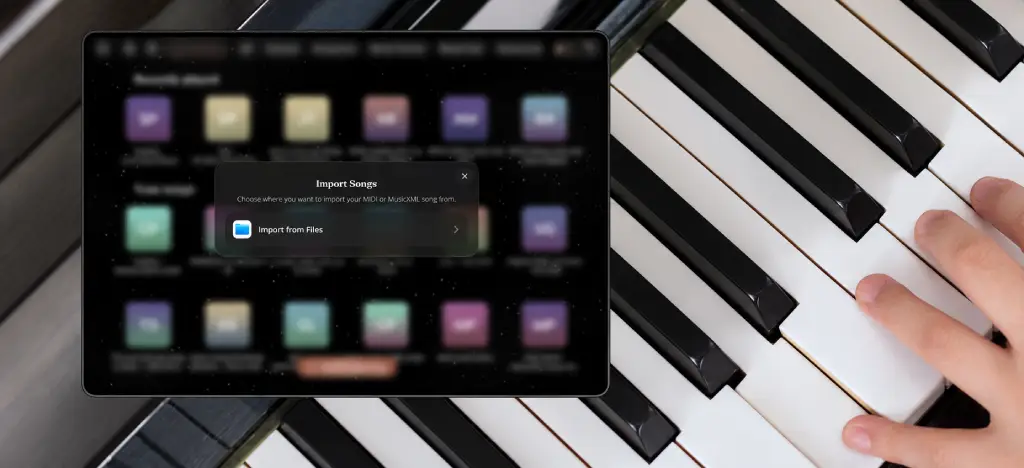
Then I discovered I could import MIDI files into a piano app instead — I use Artie, which supports MIDI and MusicXML import directly in Free Play, with 3 free imports before you need to upgrade. You get the same falling notes, but you can slow the song down, practise each hand separately, loop difficult sections and wait until you play the correct note before moving on.
It means you can learn almost any song, as long as you can find a decent MIDI file. And that last part matters because some MIDI files are much more useful than others.
- What is a MIDI file?
- What do you need to learn a piano song from MIDI?
- Where to find piano MIDI files
- Check the MIDI file before importing it
- Import the song into a piano app
- How to practise a piano song with a MIDI file
- What MIDI won’t teach you
- Can you really learn any piano song this way?
- Read more about learning piano
- FAQs about learning piano with MIDI files
- About me
What is a MIDI file?
A MIDI file isn’t an audio recording like an MP3.
Rather than recording the sound of a performance, it contains information about it: which notes are played, when they start, how long they last and, in some cases, how hard they are played.
Think of an MP3 as a recording of someone playing the piano. A MIDI file is more like a set of instructions telling a device how to recreate the performance.
Because the individual notes remain editable, a compatible piano app can display them on screen, slow them down without distorting the sound and separate different parts of the arrangement.
This is what makes MIDI so useful for learning piano.
What do you need to learn a piano song from MIDI?
You’ll need:
A piano or keyboard
A phone or tablet
A piano app that lets you import MIDI files
The MIDI file for the song you want to learn
You don’t actually need a MIDI keyboard. If the app can listen to what you’re playing through the microphone, you can use an acoustic piano or an unconnected keyboard. Connecting a keyboard directly by MIDI will usually be more accurate, though.
This is slightly confusing because we’re talking about two different things:
The MIDI file contains the notes of the song.
A MIDI connection tells the app which notes you’re playing.
So you can import and use a MIDI file without connecting your piano or keyboard, as long as the app can detect the notes through the microphone.
💡 ARTMASTER TIP: Not sure which song to start with? Here are 20 easy piano songs for beginners.
Where to find piano MIDI files
I normally start with MuseScore. It has piano arrangements of pretty much everything, from classical pieces to pop songs, film music and game soundtracks.
For classical piano, Kunst der Fuge is also worth checking.
If I still can’t find what I’m looking for, I’ll usually have a look on Reddit. Someone has often shared the file already or knows where to find a decent version.
Just remember that free to download doesn’t necessarily mean copyright-free, particularly with arrangements of modern songs. Check the terms before sharing or using a file for anything beyond your own practice.
Check the MIDI file before importing it
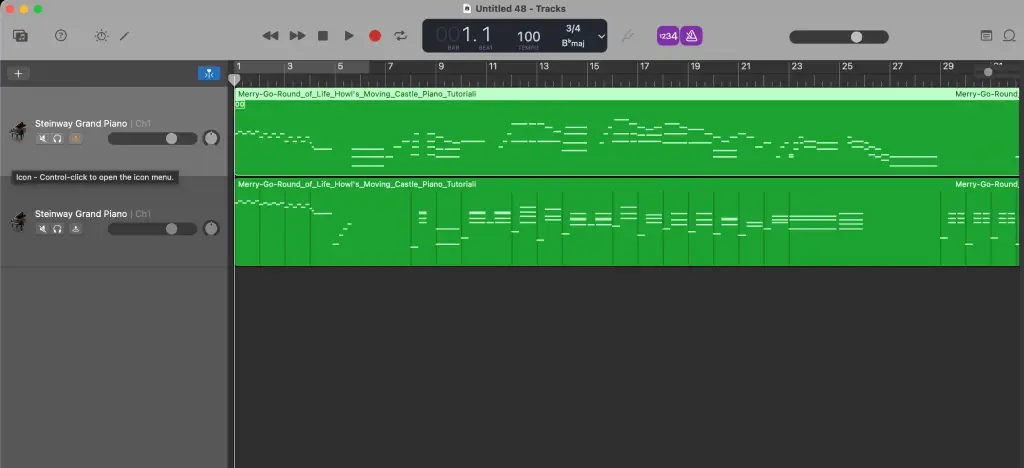
I would definitely check the file before importing it. Just because it has the right song title doesn’t mean it’s the version you want.
If you are downloading it from MuseScore you can see there how it will look as falling notes. You can also open it in GarageBand or another DAW, where you can see the individual tracks and remove anything you don’t need.
I would check:
Is it actually the right song?
Does it sound accurate?
Is it a piano arrangement?
Are the left and right hands on separate tracks?
Are there extra parts for drums, bass or other instruments?
Is it possible for one person to play?
Is it suitable for your level?
Having separate tracks for the left and right hands is particularly important. It means the app can treat them independently, so you can practise one hand at a time. If everything is on a single track, it may not divide the hands properly.
There are often several MIDI versions of the same song, and they can be completely different. One might be a straightforward piano arrangement, while another is basically the entire band squeezed into a MIDI file.
So it’s worth spending a couple of minutes checking before you import anything.
Import the song into a piano app
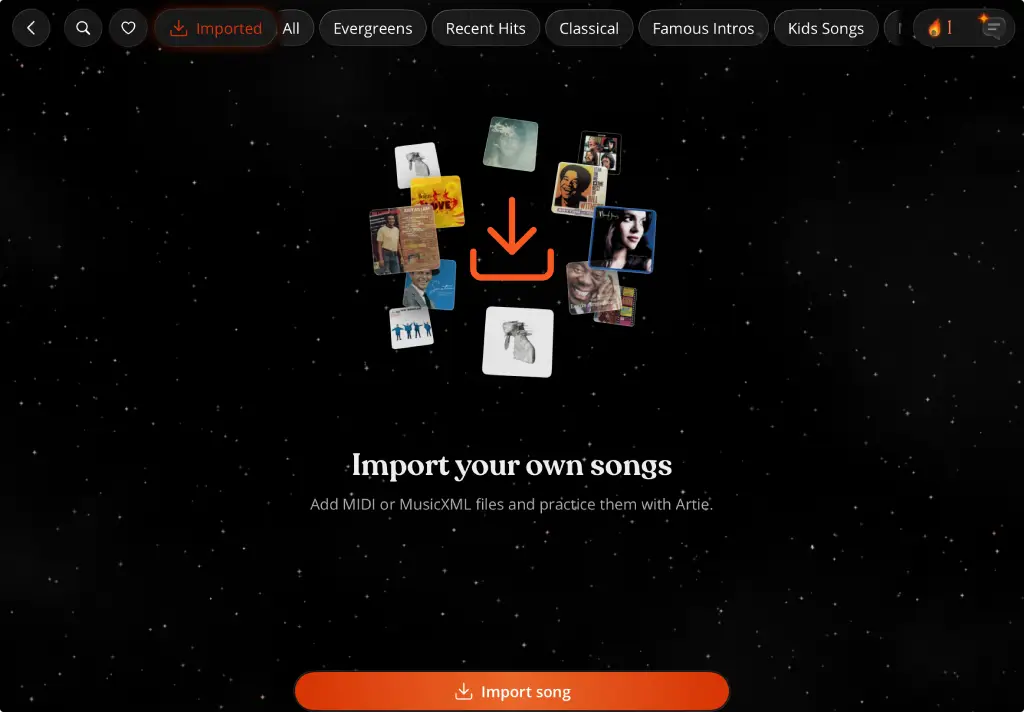
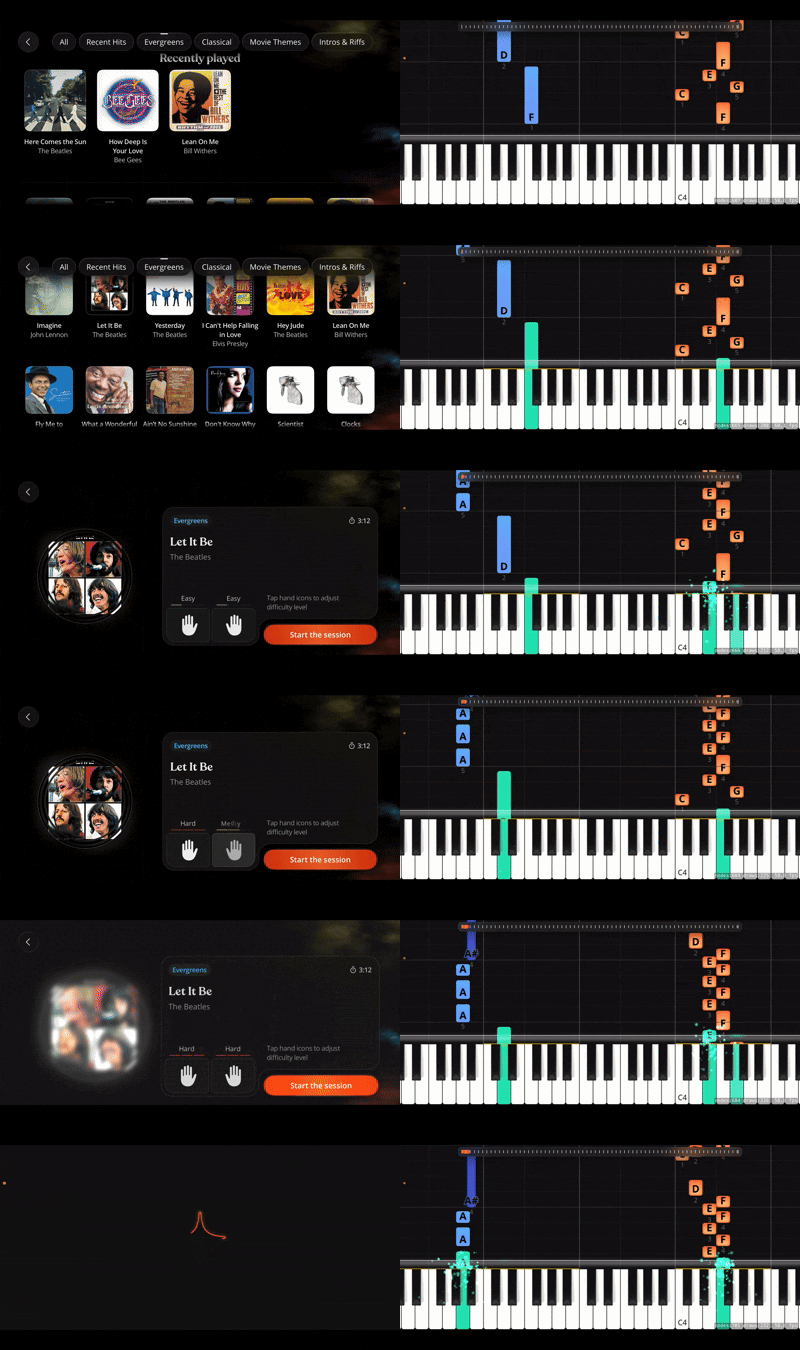
Once I’ve found a decent file, I import it into Artie’s Free Play mode. It turns the MIDI into falling notes, so I can see which keys to play rather than having to read the sheet music.
You get three MIDI imports in the free version, which is another reason to check the file first. You don’t want to use one and then realise you’ve imported the bass part or some impossible full-band arrangement.
It’s also worth saying that importing a MIDI file doesn’t make the song easier. If you import a ridiculously difficult Chopin piece, it will remain a ridiculously difficult Chopin piece. You can slow it down, separate the hands and practise smaller sections, but you still need to find a version you can realistically play.
How to practise a piano song with a MIDI file
Practise each hand separately
I always start with one hand at a time. Even when both parts look fairly easy on their own, putting them together can be a completely different matter.
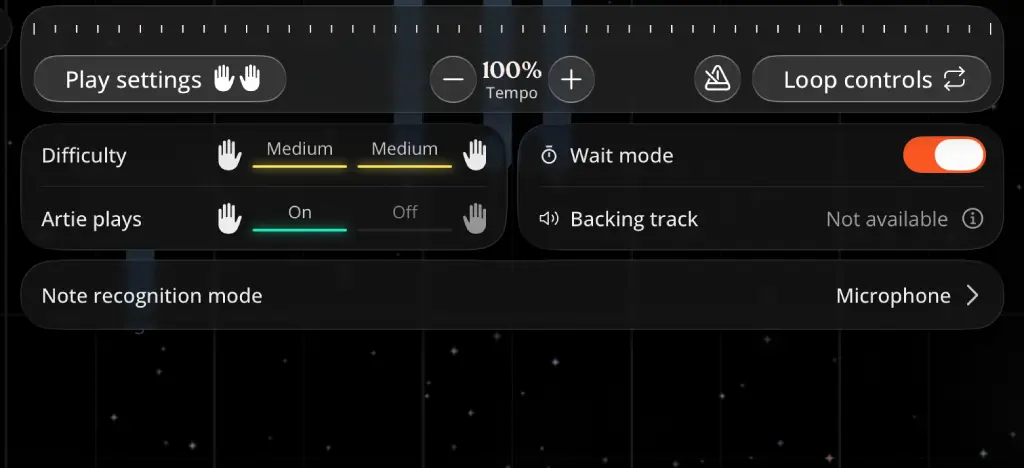
In Artie, you can choose the left hand, right hand or both. It can also play one hand while you practise the other, which helps you hear how the two parts are supposed to fit together.
Once I’m reasonably comfortable with each hand, I put them together at a much slower tempo. This is usually the point where I realise I don’t know either part quite as well as I thought.
Loop the difficult parts
There is no point playing the beginning another 20 times when the problem is halfway through the chorus.
I make a short loop around the part I keep getting wrong and just practise that. It helps to start slightly before the difficult bit and finish slightly after it, rather than isolating two notes and then having no idea how to reach them from the previous section.
Once I can play the loop properly, I make it longer and gradually put it back into the full song.
This is one of the main reasons I prefer using a MIDI file to following a YouTube video. I can repeat exactly the part I need without constantly pausing, rewinding and trying to find the right place again.
Use Wait Mode to find the notes
When I’m first learning a section, I use Wait Mode. The song doesn’t continue until I play the correct note, so I have time to work out where my hands are supposed to go.
It removes that slightly panicked feeling of watching the next 20 notes fall past while I’m still trying to find the first one.
Once I know the notes, I turn Wait Mode off and start working on playing them in time.
💡 ARTMASTER TIP: Short, regular sessions are usually more useful than one long weekly practice. Here’s a 10-minute daily piano routine.
What MIDI won’t teach you
MIDI is great for learning the notes, but it doesn’t necessarily include fingering, pedal use, dynamics or phrasing.
Artie can also import MusicXML files, which can include more information from the original score. It still depends on how the file was made, though.
And neither format can tell if your posture is terrible or you’re picking up bad habits. For that, you may still need a proper lesson or teacher.
Can you really learn any piano song this way?
Well, not literally any song.
You still need to find a decent MIDI file and an arrangement that matches your level and fits your keyboard. Some songs also work much better on solo piano than others.
But it does mean you’re not limited to whatever songs happen to be included in an app. Find a good file, check it first, slow it down and work through it a few bars at a time.
It won’t make a difficult song easy, but it does make it much easier to practise.
💡 ARTMASTER TIP: MIDI import is only one part of what piano apps can do. I wrote more about my experience in Can you really learn piano with an app?.
Read more about learning piano
FAQs about learning piano with MIDI files
Can I learn any piano song from a MIDI file?
Almost, as long as you can find a decent piano arrangement that matches your level and fits the range of your keyboard.
Which piano apps let you import MIDI files?
Artie lets you import your own MIDI and MusicXML files into Free Play. Other apps offer MIDI import too, but the available practice features vary.
Do I need a MIDI keyboard?
No. If the app can listen through your device’s microphone, you can use an acoustic piano or an unconnected keyboard.
Can I convert an MP3 or YouTube video into MIDI?
You can, but automatic conversion is very hit and miss, especially when the recording contains vocals, drums and several instruments. A MIDI file made or checked by a person will usually work much better.
Why should the left and right hands be on separate tracks?
Separate tracks let the app treat each hand independently, so you can practise one hand while listening to the other.
What is the difference between MIDI and MusicXML?
MIDI mainly stores the notes and how they are played. MusicXML is designed for written notation and can include things such as fingering, dynamics, articulation and pedal markings.
About me
I’m Matt Ford, a musician, writer and editor with more than 30 years of experience playing music. I write about music learning, piano apps and the technology behind them.